Student view
Learning, assessment and help resources
IAP-OPS-01 · Portfolio demonstration
A practical simulation of the operational workflow behind a fully online programme, with learner support and structured troubleshooting at its centre.
Purpose: demonstrate job-relevant Moodle administration through a working course, with particular emphasis on diagnosing, resolving and recording learner issues.
Course setup
Programme information, learning resources, assessment, learner support and staff-only operations were organised into a clear course structure.
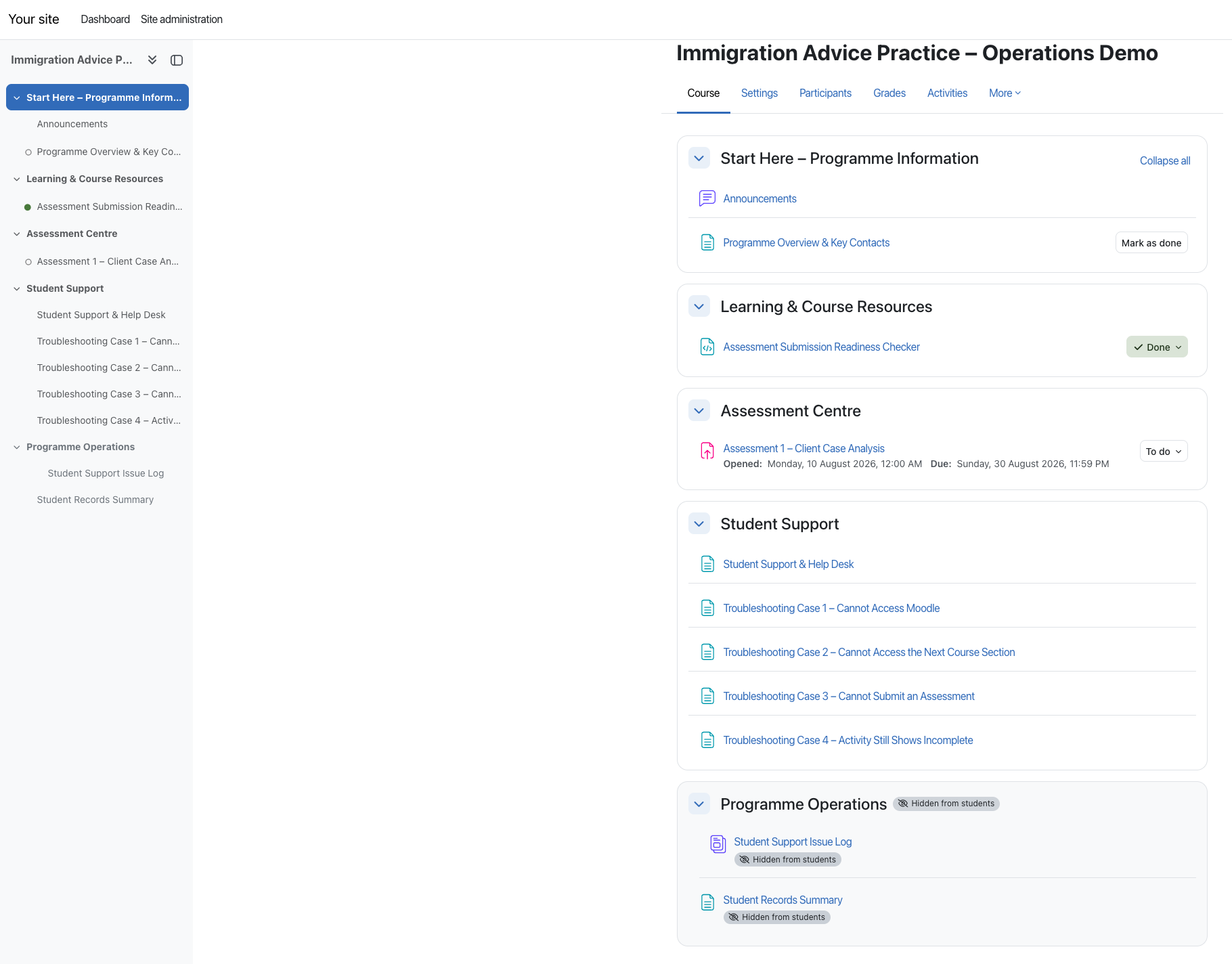
What to notice: the complete staff view includes Programme Operations, while the course sections follow the learner journey from start information to support.
Access and visibility
Teacher and student views were checked separately so learners see a focused course while internal support logs and operational records remain staff-only.
Learning, assessment and help resources
Full course plus operational records
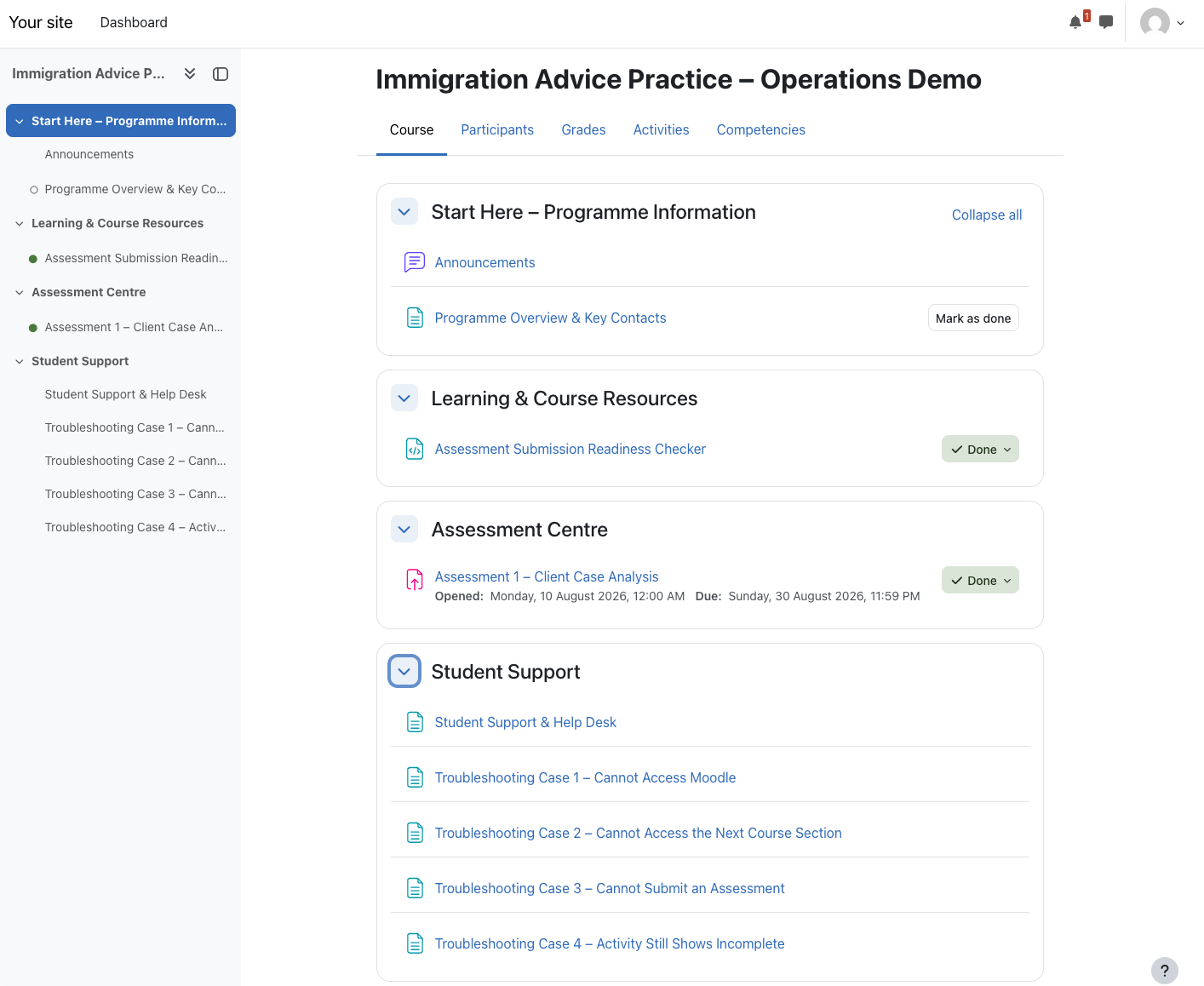
Operational check: learner access, activity visibility and completion conditions were reviewed from a separate student account.
Assessment and grading
The assessment was tested end to end, including learner submission, teacher review, marking, feedback release and Gradebook verification.
Learner uploads work and completes final submission.
Teacher confirms submission and grading status.
Mark and written feedback are recorded.
Feedback becomes visible in the learner view.
Gradebook and operational records are reconciled.
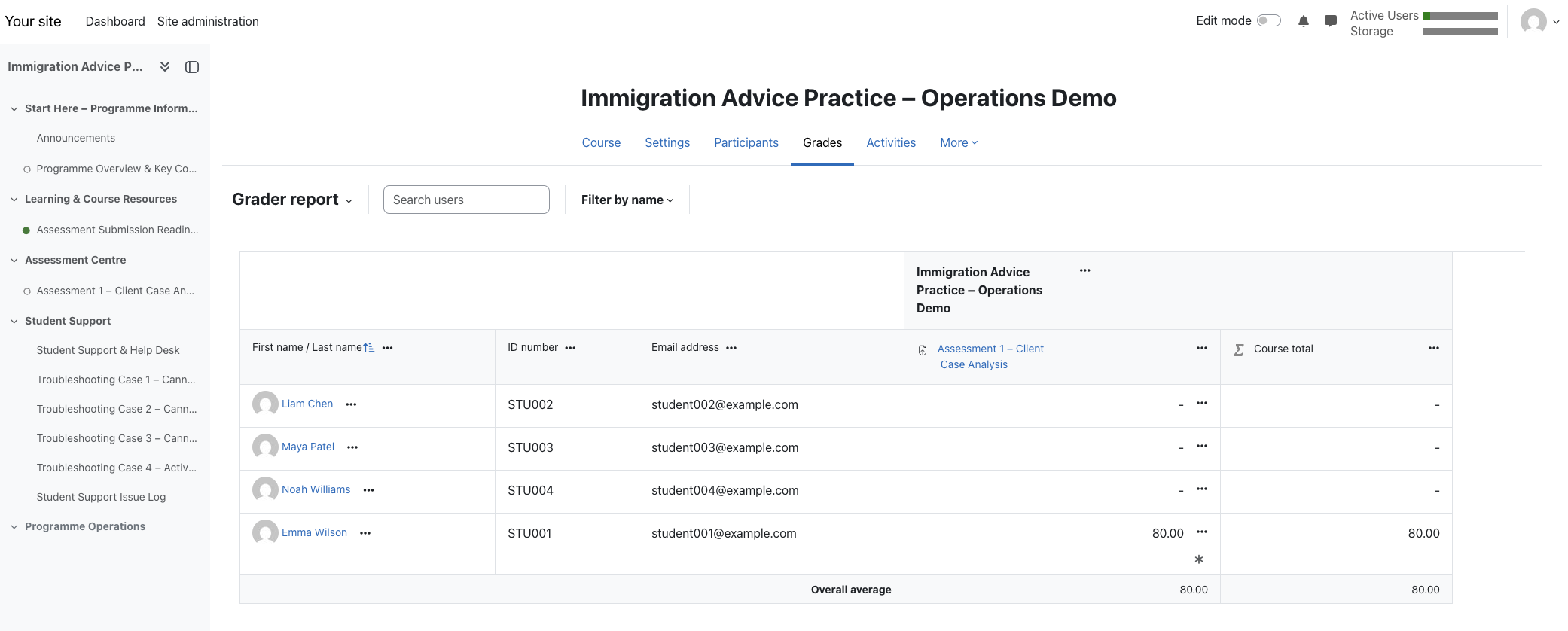
Control point: the released result was checked in both learner feedback and Gradebook records before the workflow was treated as complete.
Core capability · Learner support
This is the central focus of the project. Four simulated support cases show how I move from the learner's report to a structured diagnosis, practical action, verified resolution and staff record.
Simulated support case
The learner cannot sign in or cannot reach the course after signing in.
My troubleshooting process
Correct site URL, username, password reset, account status and course enrolment.
Verify active enrolment, guide the reset or sign-in process, then retest direct course access in the student view.
Simulated support case
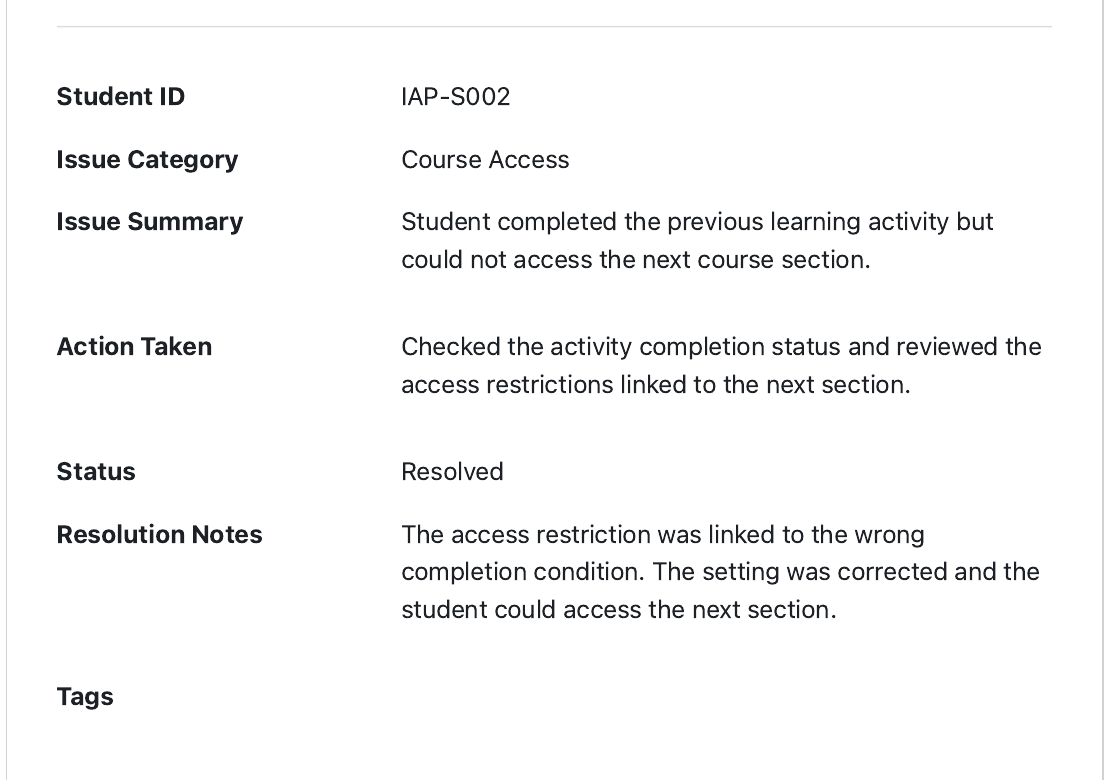
The learner completed the previous activity but the next section remained restricted.
My troubleshooting process
Previous activity completion and the access restriction linked to the next section.
Corrected the wrong completion condition and confirmed that the next section became available.
Simulated support case
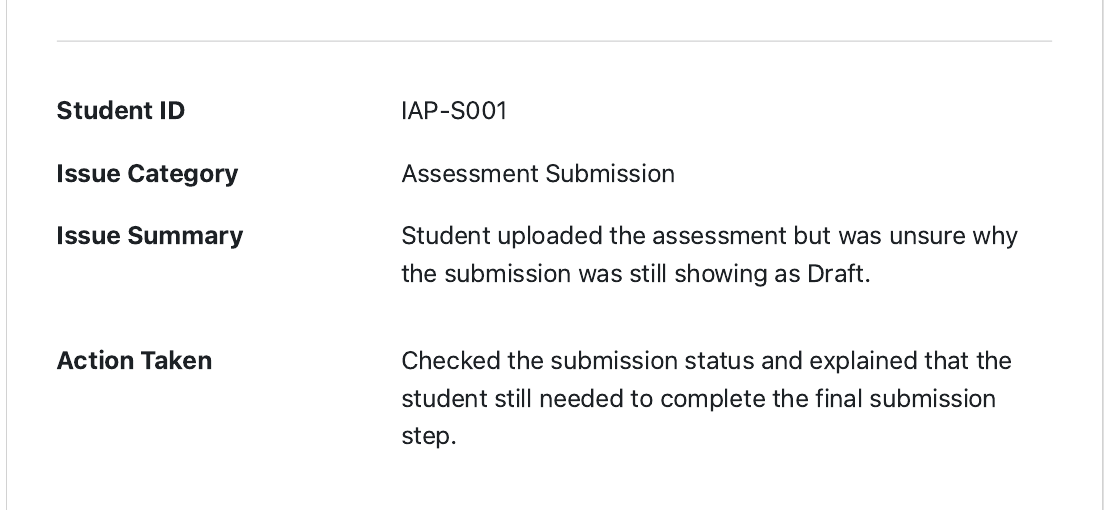
The assessment was uploaded but Moodle still showed the work as Draft.
My troubleshooting process
File requirements, deadline and the difference between Draft and Submitted for grading.
Guided the learner through the final submission step, then verified the submitted status in Moodle.
Simulated support case
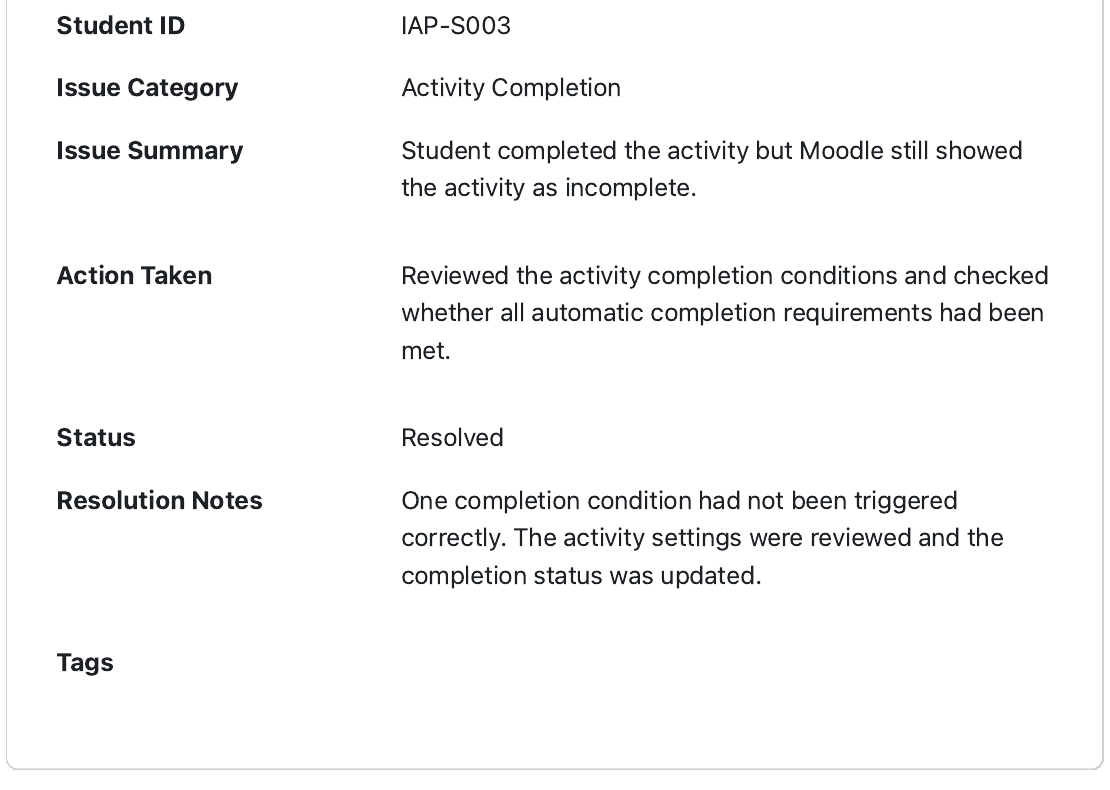
The learner completed the activity but Moodle still displayed an incomplete status.
My troubleshooting process
Automatic completion conditions and whether every required learner action had triggered correctly.
Reviewed the untriggered condition, corrected the settings and confirmed the completion status.
Learner-support activity
A pre-submission checklist created to reduce common upload errors and avoidable support requests. No information is collected or transmitted.
Records and backup
A staff-only summary brings together enrolment, access, assessment progress and released grades. A verified final backup preserves the course for recovery or transfer.
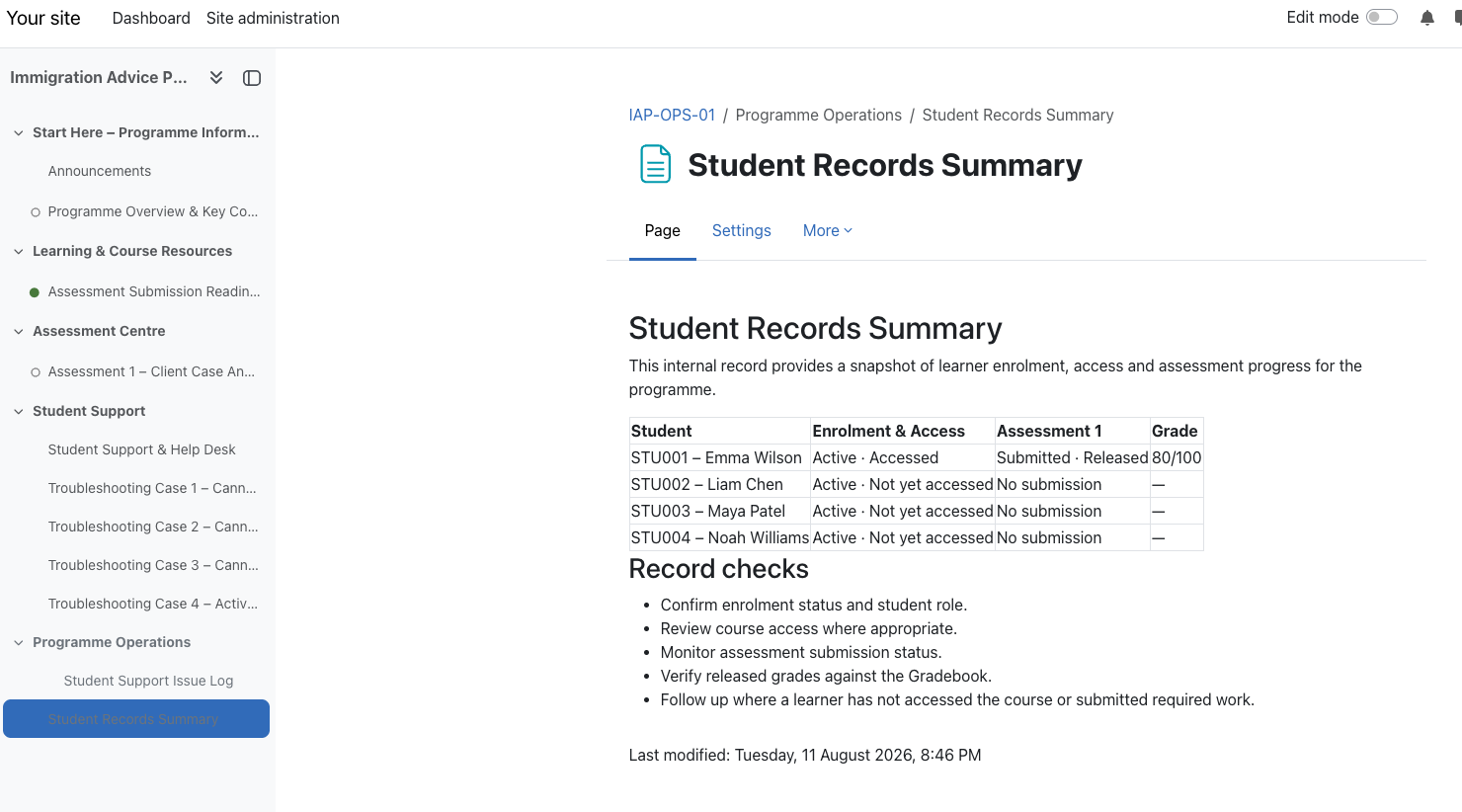
Record check: enrolment, course access, submission and grade status are reconciled in one staff-only operational view.
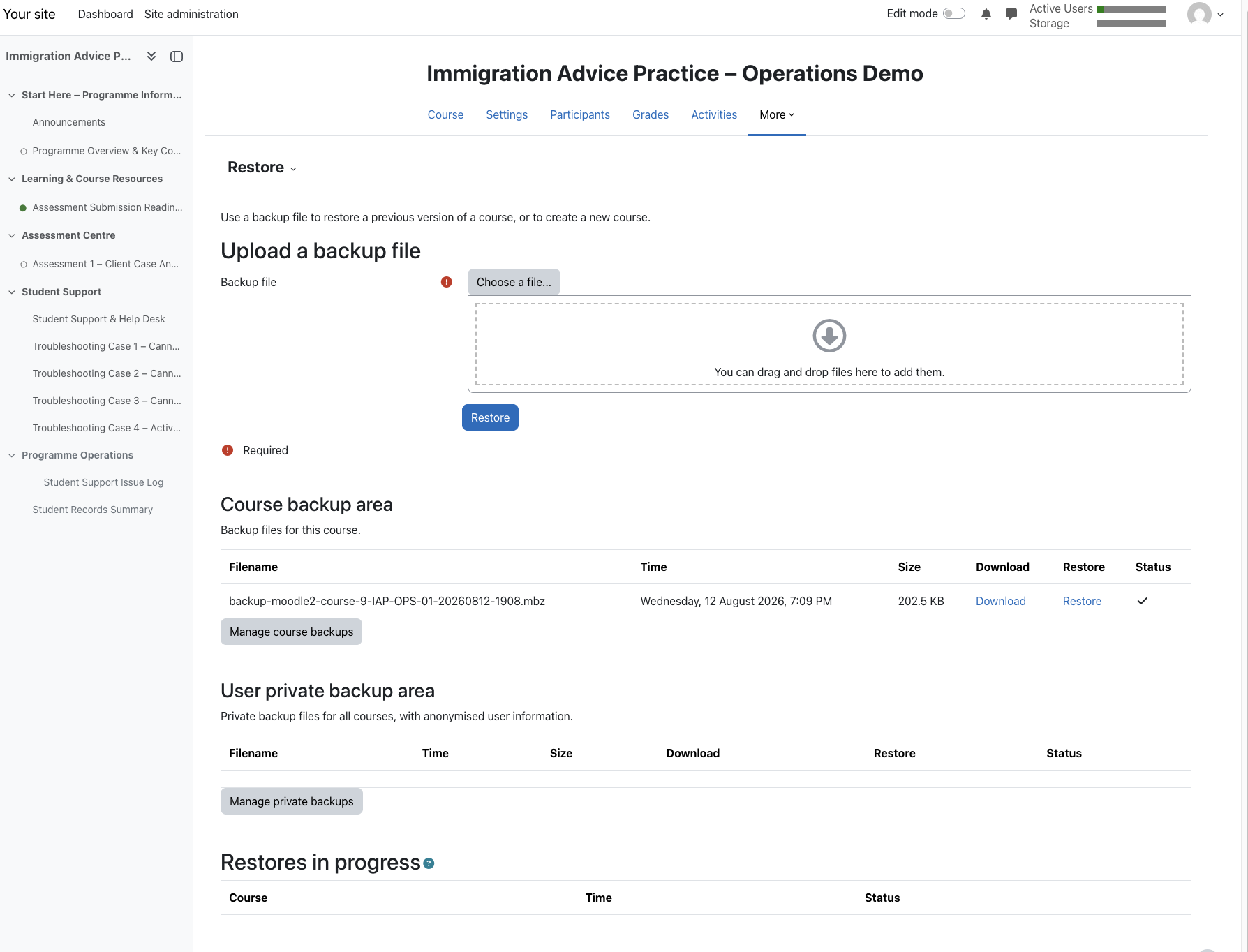
Public portfolio boundaryThe master Moodle backup archive is stored separately and is intentionally not available from this website.